
Aha Alternatives for Product Teams: Top Picks 2026
By Vora IQ Team
Explore the best Aha alternatives for product teams in 2026. Discover tools tailored to your needs, from feedback-led to Jira-native solutions.
- aha alternatives

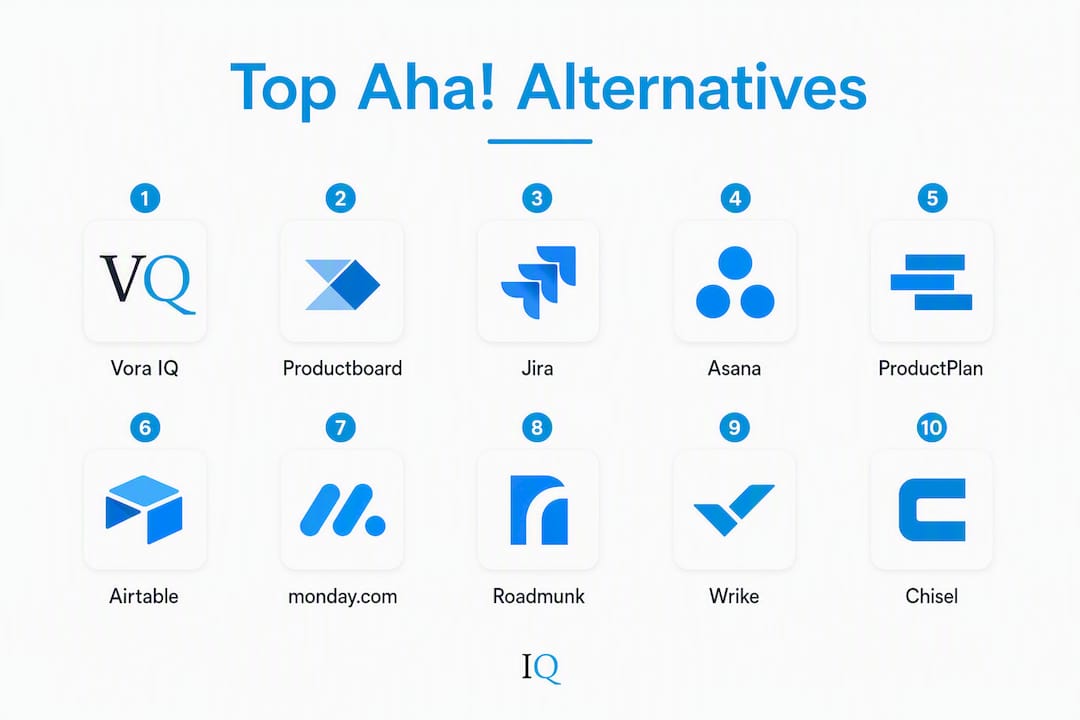
The best Aha! alternative depends on your primary job-to-be-done. Shortlists should map tools to explicit buyer profiles rather than rank them universally, so here is the verdict up front: if you need feedback-led prioritization, Productboard wins; for Jira-native delivery alignment, Jira (Atlassian) itself fills the gap; for visual stakeholder roadmaps, ProductPlan or Roadmunk; for lean startup speed and low cost, Chisel or Airtable; and for AI-native automation with built-in business validation, Vora IQ. Free tiers and trials are available across most of these, which makes a 30-day pilot the fastest way to confirm fit before committing.
Quick shortlist by use case:
- Feedback-led teams: Productboard (structured feedback inbox, customer signals)
- Jira-native engineering shops: Jira (Atlassian) (native issue linking, sprint boards)
- Visual roadmaps for executives: ProductPlan or Roadmunk (swimlane, timeline, presenter-friendly)
- Lean startups and SMBs: Chisel or Airtable (low cost, fast setup)
- Project management breadth: Asana, monday.com (monday dev), or Wrike
- AI-native automation for founders: Vora IQ (AI roadmaps, business validation, zero configuration overhead)
Table of Contents
- What do the top Aha! alternatives look like side by side?
- Mini-reviews: which tool actually fits your situation?
- How do these tools actually differ from Aha!?
- How do you choose the right Aha! substitute?
- What actually makes an Aha! migration succeed?
- How were these alternatives selected and compared?
- What does customer support look like across these tools?
- What security and compliance features should you check?
- Do these tools work well on mobile and across platforms?
- Key Takeaways
- When does switching from Aha! actually make sense?
- Vora IQ is the fast lane for founders leaving Aha!
- Useful sources and U.S. applicability note
What do the top Aha! alternatives look like side by side?
The table below maps each shortlisted tool across the dimensions that matter most in a buying decision. Pricing reflects publicly listed starting rates as of 2026; always verify on vendor pricing pages before purchasing.
| Tool | Best for | Pricing shape | Roadmap type | Feedback mgmt | Jira/GitHub integration | Onboarding time | AI/automation |
|---|---|---|---|---|---|---|---|
| Vora IQ | AI-native founders, lean startups | Paid plans from $49.99/mo | Adaptive living roadmap | Built-in idea validation | Via API/Zapier | Hours to 1 day | AI roadmap gen, task automation, 13 AI teammates |
| Productboard | Feedback-first PMs | Starts ~$20/user/mo; free trial | Feature board, timeline | Native feedback inbox, customer signals | Jira, GitHub | 3–5 days | AI feature prioritization |
| Jira (Atlassian) | Engineering-led, Jira-native teams | Free tier (up to 10 users); from $8.15/user/mo | Backlog, sprint board, roadmap | Basic via Jira Service Management | Native | 1–3 days | Atlassian Intelligence (AI) |
| Asana | Cross-functional project management | Free tier; from $10.99/user/mo | Timeline, Gantt, boards | Limited (forms, intake) | Jira, GitHub | 1–3 days | AI task drafting |
| Productboard | Strategy-to-delivery alignment | See above | — | — | — | — | — |
| ProductPlan | Exec-facing visual roadmaps | From $39/user/mo; free trial | Swimlane, timeline, portfolio | Idea portal | Jira, GitHub | 1–2 days | Limited |
| Airtable | Flexible, spreadsheet-native teams | Free tier; from $20/user/mo | Custom (template-based) | Custom forms | Jira, GitHub | 2–4 days | AI field generation |
| monday.com (monday dev) | Dev + PM hybrid teams | Free tier; from $9/user/mo | Timeline, Gantt, sprint | Intake forms | Jira, GitHub | 1–3 days | AI automation recipes |
| Roadmunk | Timeline-first roadmaps | From $19/user/mo; free trial | Timeline, swimlane | Feedback inbox | Jira | 1–2 days | Limited |
| Wrike | Enterprise project management | Free tier; from $9.80/user/mo | Gantt, timeline | Request forms | Jira, GitHub | 3–7 days | AI task suggestions |
| Chisel | Budget-conscious early-stage PMs | Free tier; from $49/mo (team) | Roadmap, treeview | Idea portal, surveys | Jira | 1–2 days | AI prioritization |
Configuration and onboarding time is a leading predictor of migration success; tools that deliver value within days consistently outperform those requiring weeks of setup in real-world adoption.
Mini-reviews: which tool actually fits your situation?
Vora IQ
Vora IQ is an AI-native operating system built for solo founders and early-stage teams who need a living roadmap, business validation, and task automation without a dedicated ops team. It has delivered over 2,400 unique roadmaps across industries, and its 13 specialist AI teammates cover everything from market analysis to pitch deck generation.
Pros: AI-generated adaptive roadmaps ready in hours; built-in idea validation and PMF signal tracking; financial modeling with Stripe integration; no configuration overhead; free Idea Report Card to start. Cons: Not designed for large enterprise product orgs with complex release trains; engineering integration relies on API/Zapier rather than a native Jira connector. Best for: Solo founders, bootstrapped startup teams, and early-stage PMs who need speed and clarity over enterprise breadth. Starts at: $49.99/mo.
Productboard
Productboard centers on capturing customer signals and translating them into prioritized features. Its feedback inbox aggregates inputs from Intercom, Zendesk, Slack, and email into a single view.

Pros: Best-in-class feedback aggregation; strong customer-to-feature traceability; solid Jira and GitHub integration; AI-assisted prioritization. Cons: Pricing scales quickly with seats; viewer/contributor seat math can inflate TCO; strategy modeling is less deep than Aha!'s. Best for: PMs at growth-stage companies where customer feedback volume is high and prioritization is the core bottleneck. Starts at: ~$20/user/mo.
Jira (Atlassian)
Jira is the default for engineering-led organizations. Its roadmap view (Advanced Roadmaps in premium tiers) ties directly to sprints, epics, and releases, so delivery traceability is native rather than bolted on.

Pros: Zero integration friction for existing Atlassian shops; free tier for up to 10 users; Atlassian Intelligence adds AI summaries and automation; massive plugin ecosystem. Cons: Product strategy and feedback capture are weak without additional Atlassian tools; UI complexity grows fast; not built for stakeholder-facing roadmap presentations. Best for: Engineering-led teams already on Atlassian who want roadmap visibility without a separate tool. Free tier available; paid from $8.15/user/mo.
Asana
Asana handles cross-functional work well, with timeline views, Gantt charts, and workload management that product teams often use for release coordination rather than pure roadmapping.
Pros: Clean UI; strong cross-team workflow automation; free tier for small teams; good Jira and GitHub integrations. Cons: Feedback and idea management are minimal; not a dedicated roadmap tool; strategy modeling is absent. Best for: Teams that need project management breadth alongside light roadmap views, especially when multiple departments share the same workspace. Free tier; paid from $10.99/user/mo.
ProductPlan
ProductPlan focuses on the stakeholder presentation layer. Its swimlane and portfolio roadmaps are the cleanest in this group for exec-facing communication.
Pros: Fastest time-to-first-roadmap; presenter-friendly export; idea portal for intake; Jira and GitHub sync. Cons: Limited strategy depth; AI features are minimal; pricing per user adds up for larger teams. Best for: PMs who spend significant time communicating roadmap status to leadership or customers. Starts at $39/user/mo; free trial available.
Airtable
Airtable is a flexible database that product teams adapt for roadmapping via templates. Its strength is customization; its weakness is that you build the structure yourself.
Pros: Highly flexible; free tier; AI field generation speeds up data entry; strong API and integration options. Cons: No native roadmap or feedback module; requires significant setup time; not purpose-built for product management. Best for: Teams with a technical PM or ops person who wants full control over data structure and workflow. Free tier; paid from $20/user/mo.
monday.com (monday dev)
monday dev combines sprint planning, backlog management, and roadmapping in one workspace, with automation recipes that reduce manual status updates.
Pros: Intuitive UI; strong automation; free tier; good Jira and GitHub integrations; portfolio views. Cons: Strategy and feedback features are lighter than dedicated PM tools; can become noisy as teams scale. Best for: Dev and PM hybrid teams that want a single workspace for planning and delivery. Free tier; paid from $9/user/mo.
Roadmunk
Roadmunk specializes in timeline and swimlane roadmaps with a feedback inbox that feeds directly into the roadmap view.
Pros: Clean timeline and swimlane views; feedback inbox included; Jira integration; fast onboarding. Cons: Limited strategy modeling; AI features are minimal; smaller ecosystem than Jira or Asana. Best for: PMs who need polished roadmap outputs quickly and want basic feedback capture without a separate tool. Starts at $19/user/mo; free trial available.
Wrike
Wrike is an enterprise project management platform with Gantt charts, request forms, and strong security features. Product teams use it when they need PM and project management in one place.
Pros: Strong enterprise security (SAML, SCIM); Gantt and timeline views; AI task suggestions; free tier. Cons: Onboarding takes 3–7 days for full configuration; feedback and idea management are limited; not purpose-built for product roadmapping. Best for: Enterprise teams that need project management governance alongside basic roadmap views. Free tier; paid from $9.80/user/mo.
Chisel
Chisel is a budget-friendly PM tool with a built-in idea portal, team alignment features, and a roadmap view that connects customer feedback to prioritized features.
Pros: Free tier; affordable team pricing; idea portal and surveys included; Jira integration; AI prioritization. Cons: Smaller ecosystem; fewer enterprise features; limited API depth. Best for: Early-stage PMs who want Productboard-style feedback capture at a fraction of the cost. Free tier; team plans from $49/mo.
How do these tools actually differ from Aha!?
Aha! offers unmatched breadth, but onboarding is measured in weeks and seat math compounds quickly. Most mid-size teams switch for speed and lower total cost of ownership. Here is where the gaps show up most clearly.
Feature gaps vs. Aha!:
- Strategy modeling: Aha! has native vision-to-goal-to-initiative modeling; most alternatives handle this lightly or not at all. Productboard and Chisel come closest for feedback-to-strategy traceability.
- Release management: Aha!'s release trains and capacity planning are absent in lighter tools like Roadmunk, Chisel, and Airtable.
- Built-in idea portals: Aha! includes a customer-facing idea portal; Productboard, Chisel, Roadmunk, and ProductPlan offer comparable versions.
- WSJF and advanced scoring: Aha!'s weighted scoring models are not replicated in most alternatives; Productboard and Chisel offer simpler scoring frameworks.
- Delivery traceability: Jira (Atlassian) is the only tool here that matches Aha!'s end-to-end delivery tracking natively.
Integration and scalability differences:
- Native Jira linkages are strongest in Jira itself, Productboard, and Chisel. Airtable and Vora IQ connect via API or Zapier.
- SSO/SAML is available in Wrike, Jira (premium), Asana (Business+), and monday.com (Enterprise). Lighter tools like Chisel and Roadmunk offer it on higher tiers only.
- SCIM provisioning is primarily an enterprise-tier feature across this group.
A common migration trap is paying for enterprise-grade complexity teams don’t need, which creates configuration overhead and feature-bloat fatigue. The fix is matching tool breadth to actual team size and workflow.
Pro Tip: Pair a feedback-first tool (Productboard or Chisel) with a timeline-focused roadmap tool (Roadmunk or ProductPlan) when your team’s primary pain points are customer signal capture and exec communication. Two focused tools often outperform one overbuilt platform.
How do you choose the right Aha! substitute?
Start by naming the single primary pain point you need the new tool to solve: feedback aggregation, engineering alignment, or stakeholder communication. Successful migrations begin with that one named problem, not a feature checklist.
Questions to ask every vendor:
- How are viewer and contributor seats priced separately from editor seats?
- Which integrations are native vs. requiring a paid add-on or higher tier?
- What is the full data export format, and can you export on demand?
- What are the API rate limits and does the plan include API access?
- Where is data hosted, and what data residency options exist for U.S. teams?
- What are the uptime SLAs and support response time SLAs by plan tier?
- Is SSO/SAML included in the plan you are evaluating, or is it an add-on?
- What is the migration path from Aha!, and does the vendor provide import tooling?
- How are roadmap views shared with external stakeholders (read-only links, portals)?
- What does the onboarding process look like, and is dedicated support included?
Hidden seat math often inflates total cost of ownership: lower per-seat rates can conceal viewer/contributor fees and integrations locked behind higher tiers. Run a seat-type stress test during your pilot.
Red flags to watch for:
- No data export or export locked to enterprise tiers
- Feedback channels that are read-only with no two-way sync
- Integration with your CI/CD or issue tracker requires a paid middleware plan
- No SLA documentation available before signing
- Onboarding measured in weeks with no self-serve option
30–60 day pilot process:
- Define one primary success metric before day one (e.g., feedback capture rate, roadmap update frequency).
- Limit the pilot to a single product track or use case.
- Map your three most critical integrations and confirm they work in the first week.
- Freeze and export decision records from Aha! before cutting over.
- Run a cross-team onboarding session in week two and measure editor activity by day 30.
- At day 45, review TCO including any seat types added during the pilot.
- Make the go/no-go decision at day 60 based on adoption metrics, not feature impressions.
What actually makes an Aha! migration succeed?
Teams switch from Aha! most often for three reasons: superior feedback aggregation, tighter engineering integration, or simpler stakeholder communication. Knowing which one drives your switch determines every subsequent decision.
Practical rollout steps:
- Define your primary pain point in one sentence before evaluating any tool.
- Map your three critical integrations (issue tracker, customer feedback source, analytics) before the pilot starts.
- Run a narrow pilot on one product track only; resist the urge to migrate everything at once.
- Export and snapshot Aha! decision records, Slack threads, and prioritization notes before cutting over. Many tools fail to capture the ‘why’ behind backlog decisions, and that institutional knowledge disappears in transitions.
- Schedule a cross-team onboarding session in week two, not week one, after the core team has hands-on time.
Experts recommend prioritizing configuration time and time-to-value over feature count. A simpler workflow you can extend through integrations later beats a feature-rich platform that takes weeks to configure.
Stat to know: Configuration and onboarding time is a leading predictor of migration success. Tools that deliver value within days see materially higher adoption rates than those requiring multi-week setup.
Pro Tip: Limit your pilot to one product track and measure three metrics: editor activity (weekly active users in the tool), feedback capture rate (items logged per week), and roadmap view frequency (how often stakeholders open the roadmap). These three numbers tell you whether the tool is actually being used, not just installed.
For founders evaluating AI-driven workflows, the 2026 shift toward decision-intelligence tooling means the best platforms now normalize signals from multiple feedback sources and suggest priorities automatically, cutting manual roadmap upkeep significantly.
How were these alternatives selected and compared?
Data sources used:
- Vendor documentation and publicly listed pricing pages (verified for U.S. market availability)
- Practitioner write-ups and migration playbooks from product management communities
- Gartner peer reviews for Aha! alternatives
- G2 review aggregates covering ease of use, onboarding, and integration depth
- Featurebase’s 2026 roundup and practitioner-sourced shortlists
Selection criteria:
- Fit to a named job-to-be-done (feedback, delivery, stakeholder roadmaps, lean startup)
- Onboarding and configuration time (days preferred over weeks)
- Feedback capture and idea management capability
- Engineering integrations (native Jira/GitHub vs. API-only)
- Total cost of ownership including seat types and add-ons
All tools listed are available to U.S.-based teams with U.S.-dollar pricing. Pricing figures reflect publicly listed rates and should be confirmed directly with vendors before purchase.
What does customer support look like across these tools?
Support quality varies more than pricing pages suggest. Jira (Atlassian) and Wrike offer the most structured enterprise support, including dedicated success managers on enterprise tiers and documented SLAs. Asana and monday.com provide responsive chat and email support on paid plans, with community forums covering most common issues quickly.
Productboard’s support is well-regarded among growth-stage teams, with onboarding specialists available on higher tiers. Chisel and Roadmunk are smaller vendors; their support is typically responsive but relies on email and in-app chat rather than phone or dedicated CSMs. Airtable’s support scales with plan tier: the free and Plus tiers are largely self-serve, while Business and Enterprise plans include priority support.
Vora IQ provides support through its AI teammate system, which means many questions are answered in-product without a support ticket. For founders who need fast answers without waiting on a queue, that model fits the early-stage pace well.
One consistent pattern across G2 reviews: users on lower-rated Aha! reviews cite support responsiveness and onboarding complexity as top frustrations, which is worth testing directly during your pilot before committing.
What security and compliance features should you check?
For product management tools handling roadmap data, customer feedback, and strategic plans, security is not optional. The baseline you should verify for any tool in this group:
SSO/SAML: Available on enterprise tiers for Jira (Atlassian), Wrike, Asana, monday.com, and Productboard. Chisel and Roadmunk offer it on higher paid tiers. Confirm it is included in the plan you are actually buying, not just the enterprise tier.
SCIM provisioning: Primarily available on enterprise plans across this group. Jira (Atlassian), Wrike, and Asana support SCIM for automated user provisioning and deprovisioning.
Data residency: Jira (Atlassian) and Wrike offer U.S. data residency options. Airtable, monday.com, and Asana store data in U.S. data centers by default. Verify data residency specifics with each vendor if your team has compliance requirements.
SOC 2 Type II: Jira (Atlassian), Asana, monday.com, Wrike, Productboard, and Airtable all hold SOC 2 Type II certifications. Chisel and Roadmunk are smaller vendors; confirm their current compliance status directly.
Role-based access control (RBAC): Available across all tools in this group, though granularity varies. Wrike and Jira offer the most granular permission models for enterprise teams.
For early-stage founders using Vora IQ, the platform handles business plans, financial models, and strategic roadmaps. Confirm current security certifications at voraiq.com/features before storing sensitive financial data.
Do these tools work well on mobile and across platforms?
Mobile app quality is a real differentiator when your team reviews roadmaps on the go or captures feedback between meetings.
Asana and monday.com have the strongest mobile apps in this group, with near-full feature parity between desktop and iOS/Android. Jira’s mobile app covers sprint management and issue tracking well, though Advanced Roadmaps views are desktop-only. Wrike’s mobile app is solid for task management but lighter on roadmap views.
Productboard’s mobile experience covers feedback capture and roadmap viewing but is not optimized for deep editing on a phone. Roadmunk and ProductPlan are primarily desktop tools; their mobile views work for reading roadmaps but not building them. Airtable’s mobile app is functional for data entry and record viewing, which covers most roadmap-as-database use cases.
Chisel offers a mobile-accessible web interface rather than a native app, which works on modern browsers but lacks the polish of native iOS/Android experiences. Vora IQ is accessible via web on mobile browsers, with the AI teammate interface designed for quick inputs and roadmap reviews from any device.
Cross-platform accessibility (Windows, Mac, Linux, web) is strong across the entire group. All tools listed run in-browser without OS-specific requirements, which matters for teams with mixed device environments. Modern AI productivity tools increasingly prioritize browser-first design for exactly this reason.
Key Takeaways
The single most important principle: match your tool to one primary job-to-be-done before evaluating features, pricing, or integrations.
| Point | Details |
|---|---|
| Match tool to primary need | Identify whether your core pain is feedback, delivery alignment, stakeholder roadmaps, or AI automation before shortlisting. |
| Pilot narrow, not wide | Limit your 30–60 day pilot to one product track and measure editor activity, feedback capture rate, and roadmap view frequency. |
| TCO hides in seat types | Viewer and contributor seat fees often inflate total cost; run a seat-type stress test during the pilot before committing. |
| Preserve decision records | Export Aha! decision notes and Slack threads before migrating to avoid losing the strategic context behind backlog priorities. |
| Vora IQ for AI-native founders | Vora IQ delivers adaptive roadmaps, built-in idea validation, and AI automation in hours, making it the fastest path to clarity for solo founders and lean startup teams. |
When does switching from Aha! actually make sense?
The conventional wisdom says switch when Aha! gets too expensive. That is true, but it misses the more common trigger: when the tool becomes the work. If your team spends more time maintaining the platform than using it to make decisions, that is the real signal.
Three scenarios where switching delivers clear ROI. First, early-stage founders who have no business paying for enterprise-grade release management and strategy modeling they will not use for 18 months. A lean tool that ships a roadmap in a day beats a powerful one that takes three weeks to configure. Second, mid-market PMs whose primary bottleneck is customer feedback volume, not strategy depth. Productboard or Chisel will outperform Aha! on that specific job at a lower cost. Third, engineering-led teams already deep in Atlassian who are paying for Aha!'s strategy layer but using Jira for everything real. Consolidating onto Jira with Advanced Roadmaps removes a redundant tool and a redundant bill.
The scenario where staying makes sense: large enterprise product orgs with complex release trains, multiple product lines, and a dedicated product ops function. Aha!'s breadth is genuinely useful at that scale, and the configuration investment pays off when you have the team to maintain it.
The mistake most PMs make is evaluating alternatives on feature parity with Aha! rather than on fit to their actual workflow. A tool that does 60% of what Aha! does but does it in one day instead of three weeks is the better choice for most teams reading this guide.
Vora IQ is the fast lane for founders leaving Aha!
If you are a solo founder or early-stage team, most of the tools in this guide were not built for you. They assume a product ops function, a dedicated PM, and weeks of configuration time you do not have. Vora IQ was built for exactly the opposite situation: you need a living roadmap, AI-driven prioritization, and built-in business validation without the overhead.
Where Aha! charges for complexity you may never use, Vora IQ generates your first adaptive roadmap in hours, validates your idea against real market signals, and automates daily tasks through 13 specialist AI teammates. No seat math. No configuration sprints. Just clarity and momentum from day one. It has already delivered numerous unique roadmaps across industries, and it connects financial modeling, compliance awareness, and pitch deck generation in one place.
See exactly how it works and get your free Idea Report Card at Vora IQ. Your roadmap is one session away.
Useful sources and U.S. applicability note
All pricing and compliance references in this guide apply to U.S.-based teams purchasing directly from vendors. Pricing is in USD and reflects publicly listed rates as of 2026; verify current figures on each vendor’s pricing page before purchasing.
Primary sources used in this guide:
- Top Aha! Alternatives & Competitors 2026 — Gartner Peer Insights
- G2 reviews for Aha! — lowest rated
- 15 Best Aha! Alternatives for Product Teams in 2026 — Featurebase