
AI Workflow Automation: A Practical Guide for Teams
By Vora IQ Team
Unlock efficiency with AI workflow automation. Discover practical steps for your team to streamline processes and enhance decision-making today!
- ai workflow automation

AI workflow automation is the use of machine learning models and agentic components inside an orchestrated workflow that automates routine decisions and actions while preserving human checkpoints. It goes further than traditional RPA or plain workflow automation by adding reasoning, context awareness, and adaptive decision-making at each step, not just rule-based branching.
Before you read the full playbook, here are four things you can do this week:
- Identify one high-value repetitive process where decisions follow predictable patterns (invoice approval, ticket routing, onboarding steps).
- Capture sample data from that process: a set of real examples with inputs, decisions made, and outcomes.
- Choose an orchestration pattern (agentic microflow, hybrid, or event-driven) that matches your team’s skill set and governance requirements.
- Run a micro-pilot on a single step, not the whole process, and measure accuracy, latency, and exception rate before expanding.
A 2025 Gartner signal cited on Microsoft Power Automate materials describes end-to-end automation blending RPA, generative AI, and process mining, with cases where large manual data-validation teams were reduced dramatically. That is the ceiling. Your first pilot does not need to reach it, but knowing it exists tells you the direction is right.
Table of Contents
- What are the core components of an AI workflow?
- How do architecture patterns shape your deployment choices?
- Which organizational use cases deliver the fastest ROI?
- How do you choose the right platform category?
- How do you implement AI workflow automation from pilot to production?
- Why does orchestration determine whether your automation scales?
- What integration patterns and data quality steps do you need?
- What do pilots actually cost, and how long do they take?
- What are the most common pitfalls, and how do you avoid them?
- What do industry experts say about AI workflow automation?
- Key Takeaways
- The build-vs-buy decision most teams get wrong
- Vora IQ gives founders an AI-native operating system, not just another tool
- Useful sources for further reading
What are the core components of an AI workflow?
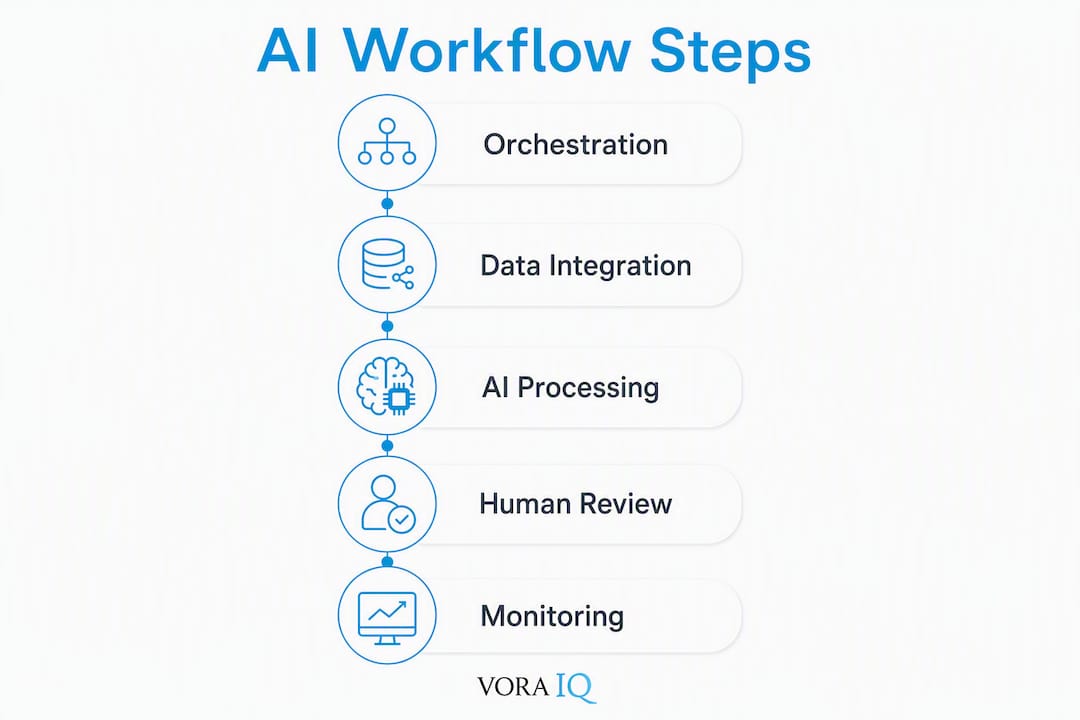
Every AI workflow, regardless of platform, is built from the same eight building blocks. Map your current stack against these before you select a tool or write a line of code.
- AI models and agents: The reasoning layer. Models classify, summarize, extract, or generate. Agents take actions, call tools, and loop until a goal is met.
- Orchestration layer: The control plane. It sequences steps, manages state, handles retries, and routes exceptions. Without it, agents are isolated scripts.
- Connectors and APIs: The data plane. REST APIs, webhooks, and prebuilt connectors move data between your workflow and external systems.
- RPA and deterministic actors: For legacy systems without APIs, robotic process automation handles UI-level interactions with rule-based precision.
- Process mining: Discovers the actual flow of work from event logs, so you automate the real process rather than the assumed one.
- Data stores and feature stores: Structured and vector stores that ground agent decisions in current, relevant context rather than stale training data.
- Monitoring and observability: Traces, logs, and metrics that tell you what the workflow did, when, and why, at every step.
- Governance and audit layer: Access controls, credential vaulting, model version tracking, and audit logs that satisfy compliance requirements.
The control plane (orchestration, governance, monitoring) coordinates the data plane (connectors, data stores, RPA). Human-in-the-loop checkpoints typically sit at the boundary: when an AI step’s confidence score falls below a defined threshold, the workflow pauses and routes the item to a human queue rather than proceeding automatically.
Pro Tip: Treat every AI step as a replaceable service. Define a standard input/output contract for each component so you can swap a model, upgrade an agent, or change a connector without rebuilding the whole workflow. Practitioners building with n8n call these “prebuilt nodes,” and the pattern dramatically simplifies debugging at scale.
How do architecture patterns shape your deployment choices?
Three patterns cover the vast majority of real-world implementations: agentic microflows, hybrid orchestration, and event-driven pipelines. Choose by the nature of the decision, not the tool you already own.

Agentic microflows are short, goal-directed loops where an AI agent calls tools, evaluates results, and retries until a condition is met. They work well for document extraction, research tasks, and code generation. Keep them bounded: define a maximum iteration count and a fallback action.
Hybrid orchestration combines deterministic steps (RPA, rule tables, API calls) with AI steps inside a single BPMN or DAG diagram. UiPath Maestro is built around this model, coordinating AI agents, robots, APIs, data, documents, and people on one canvas with a shared governance model. This pattern suits finance, HR, and IT ops workflows where some steps must be auditable and deterministic while others benefit from AI reasoning.
Event-driven pipelines trigger workflow steps from real-time signals: a new support ticket, a database change stream, a webhook from a payment processor. Latency is low, but you need dead-letter queues and idempotency guarantees to handle duplicate or out-of-order events.
A short execution sequence for a hybrid invoice-processing flow looks like this:
1. EVENT: Invoice received (email/API)
2. EXTRACT: AI model extracts vendor, amount, line items (confidence scored)
3. VALIDATE: Rule table checks PO match and budget code
4. BRANCH: confidence < 0.85 → human review queue
          confidence ≥ 0.85 → auto-approve
5. POST: API call to ERP to create payment record
6. LOG: Audit event written with model version, confidence, approver ID
7. RETRY: On ERP timeout, exponential backoff × 3, then alert
For deployment, cloud-hosted platforms give you the fastest start and managed observability. On-premises deployment satisfies data-residency requirements but adds infrastructure overhead. Hybrid models, where orchestration runs on-prem but model inference calls a cloud API, are increasingly common in regulated industries. BYOM (Bring Your Own Model) lets you swap the inference provider without changing the workflow logic, which matters when model costs or compliance requirements shift.
Observability primitives to instrument from day one: distributed traces (so you can follow a single invoice through every step), structured logs (with model version and confidence attached), audit events (immutable, with actor and timestamp), and explainability hooks (why did the model choose this classification?). AI-native platforms with self-healing capabilities add automatic retry and reroute logic when API responses are malformed or steps fail, which reduces the operational toil of maintaining brittle scripts.
Which organizational use cases deliver the fastest ROI?
Pick your first target from this list. Each use case has a clear AI step, a natural human checkpoint, and a measurable outcome signal.
- Finance order-to-cash and invoice handling: — AI extracts line items, matches POs, and flags discrepancies. A human approver reviews exceptions. Microsoft Power Automate materials reference cases where 100+ person data-validation teams were reduced to a few through this pattern.
The human checkpoint placement is consistent across all five: AI handles the high-volume, pattern-matching work; humans handle judgment calls, exceptions, and anything with significant downstream consequences.
How do you choose the right platform category?
Choose by scale, required governance, and skill set. A solo founder running a content workflow needs something different from an enterprise IT team managing 200 automated processes with audit requirements.
| Category | Best for | Technical skill required | Typical integrations | Deployment model | Governance maturity | Cost signals |
|---|---|---|---|---|---|---|
| Enterprise RPA | Legacy UI automation, regulated industries | Low to medium (visual designer) | SAP, Oracle, Citrix, desktop apps | On-prem, cloud, hybrid | High (audit logs, role-based access) | Per-bot or per-process licensing |
| Orchestration platforms | End-to-end process automation, agent + deterministic hybrid | Medium (BPMN, low-code) | ERP, CRM, cloud services, APIs | Cloud, on-prem, hybrid | High (BPMN audit, governance console) | Enterprise licensing, consumption tiers |
| Open-source workflow engines | Developer teams, custom integrations, cost-sensitive | High (code + config) | Any via custom nodes | Self-hosted, cloud | Medium (depends on config) | Infrastructure cost + support |
| Low-code / no-code | Business owners, ops teams, fast prototyping | Low (drag-and-drop) | SaaS apps, webhooks | Cloud | Low to medium | Per-seat or per-flow |
| Agent orchestration layers | Multi-agent workflows, LLM-heavy processes | High (API, prompt engineering) | LLM APIs, vector stores, tools | Cloud, hybrid | Emerging | Consumption-based inference |
Representative vendors by category, presented as illustrative examples rather than a ranked list:
- Orchestration platforms: — Microsoft Power Automate, which blends low-code with enterprise governance and connects to the Microsoft 365 ecosystem.
Community shortlists and tool comparisons are useful for discovery, but validate any shortlist against your governance requirements and integration needs before committing to a procurement decision.
How do you implement AI workflow automation from pilot to production?
The recommended path is: select → prototype → pilot → iterate → scale. Each stage has a clear owner and a defined exit criterion.
- Select a candidate process. Owner: process manager. Deliverable: a one-page process brief with volume, error rate, current cycle time, and data availability. Exit criterion: process has >50 instances per week and structured input data.
- Map the current flow. Owner: process analyst. Deliverable: a swimlane diagram showing every step, decision, and handoff. Exit criterion: every exception path is documented.
- Capture and prepare data. Owner: data engineer. Deliverable: 100+ labeled examples covering normal cases and known exceptions. Exit criterion: data passes a quality audit (completeness, labeling consistency, no PII leakage).
- Select a platform and model. Owner: tech lead. Deliverable: a platform decision record with rationale against the comparison table above. Exit criterion: proof-of-concept runs end-to-end on sample data.
- Build and test a microflow. Owner: developer. Deliverable: a single-step automated flow with mocked dependencies, replay tests, and a canary release plan. Exit criterion: accuracy ≥ target threshold on held-out test set.
- Run a time-boxed pilot. Owner: process manager + tech lead. Deliverable: pilot KPI report (see table below). Exit criterion: KPIs meet success thresholds after 4–8 weeks.
- Iterate on failures. Owner: developer + process manager. Deliverable: updated model or rules, revised exception routing. Exit criterion: manual rework rate falls below 10%.
- Production rollout. Owner: engineering + ops. Deliverable: monitoring dashboards, runbook, on-call rotation. Exit criterion: SLA met for 30 consecutive days.
How-to guidance from ClickUp and practitioner sources converge on this same sequence: goal identification, workflow analysis, tool selection, pilot, and iteration.
Pilot KPI template:
| KPI | Measurement interval | Success threshold |
|---|---|---|
| Automation rate (percentage of cases handled without human) | Weekly | Meets target threshold |
| Accuracy / precision on AI decisions | Weekly | Meets target threshold |
| Average cycle time reduction | Weekly | Significant improvement vs baseline |
| Manual rework rate | Weekly | Within acceptable limits |
| Exception escalation rate | Weekly | Within acceptable limits |
| System uptime / availability | Daily | High availability target |

Risk mitigation:
| Risk | Mitigation |
|---|---|
| Model confidence drift over time | Schedule monthly accuracy reviews; set automated alerts on precision drop |
| Integration breakage (API changes) | Use self-healing retry logic; version-pin external API contracts |
| PII exposure in logs | Mask sensitive fields at ingestion; apply least-privilege access to log stores |
| Scope creep during pilot | Lock pilot scope to one process step; document change requests separately |
| Stakeholder resistance | Involve process owners in KPI definition; share weekly pilot reports |
For testing strategy: mock external dependencies in unit tests, use production-captured replay data for integration tests, and release to 5–10% of traffic as a canary before full rollout.
Why does orchestration determine whether your automation scales?
Orchestration is the scaling enabler, full stop. Without a coordination layer, you have a collection of scripts that break independently and leave no audit trail. With one, you have a governed system that can grow.
The orchestration layer’s responsibilities are concrete: sequence steps, manage state across retries, route exceptions, enforce timeouts, and emit audit events. UiPath Maestro Flow describes this as a single canvas that coordinates agents, robots, APIs, data, documents, and people under a canonical governance model.
Human-in-the-loop patterns to implement:
- Confidence threshold gates: If an AI step scores below a defined threshold, the item routes to a human queue automatically. The threshold is a tunable parameter, not a hardcoded value.
- Manual approval gates: High-stakes actions (large payments, account deletions, policy changes) always require a human sign-off, regardless of AI confidence.
- Exception queues: Items that fail validation or hit unexpected states land in a structured queue with full context, so reviewers can act without re-investigating from scratch.
- Time-based escalation: If a human review item sits unactioned beyond a defined SLA, it escalates automatically to a supervisor.
Governance checklist before you go to production:
- Role-based access controls on workflow triggers, data sources, and model endpoints
- Credential vaulting (no secrets in workflow configs or environment variables)
- Model and version tracking (which model version ran on which item, when)
- Action-level guardrails (define which actions an agent may take autonomously vs. which require approval)
- Immutable audit logs with actor, timestamp, model version, and decision rationale
- Data residency controls for regulated data types
Pro Tip: Balance autonomy with compliance by adopting a BYOM (Bring Your Own Model) pattern combined with a policy layer. Zapier’s governance model illustrates this: the platform connects AI to thousands of apps while enforcing credential management and action-level controls independent of which model is running. You get model flexibility without sacrificing auditability.
What integration patterns and data quality steps do you need?
Your workflow is only as reliable as the data flowing through it. Get integration and data quality right before you optimize the AI layer.
Common integration patterns:
- Event-driven webhooks: Low latency, ideal for real-time triggers (new order, support ticket created). Requires idempotency handling.
- API orchestration: The orchestration layer calls external APIs in sequence or parallel. Works for most SaaS integrations.
- Connector-based polling: The workflow checks a source system on a schedule. Higher latency but simpler to implement for systems without webhook support.
- Database change streams: CDC (change data capture) streams row-level changes from databases like PostgreSQL or MySQL directly into the workflow. Useful for ERP and CRM integrations.
- RPA for legacy UIs: When no API exists, a robot navigates the UI. Fragile by nature; use only when no API alternative is available.
For data grounding, the right strategy depends on your use case. A secure feature store works for structured, frequently updated business data. Retrieval-augmented generation (RAG) with a vector store works for unstructured documents, knowledge bases, and long-context lookups. Context window injection works for short, session-scoped context. Avoid passing raw database dumps into a model’s context window; it inflates cost and degrades precision.
Data quality checklist before you connect a live data source:
- Sample 200+ records and audit for completeness, consistency, and labeling accuracy
- Define labeling standards and apply them before training or fine-tuning
- Calibrate model confidence scores against held-out validation data
- Set up drift monitoring to detect when incoming data diverges from training distribution
- Mask or tokenize PII at the point of ingestion, not downstream
Security and privacy signals: enforce data residency by routing sensitive data only to compliant inference endpoints, vault all credentials in a secrets manager (AWS Secrets Manager, HashiCorp Vault, or equivalent), and apply least-privilege access so each workflow component can only read the data it needs.
What do pilots actually cost, and how long do they take?
A realistic pilot runs several weeks. Production rollout for a single process takes months depending on integration complexity, data readiness, and governance requirements. Those timelines reflect the time needed to handle exceptions, pass security review, and train the humans who will work alongside the system.
Cost drivers to budget for:
- Model inference costs: Consumption-based, priced per token or per API call. Costs scale with volume and model size.
- Orchestration platform licensing: Per-seat, per-flow, or enterprise contract depending on the vendor. Open-source engines shift cost to infrastructure and engineering time.
- Integration engineering: Often the largest hidden cost. Legacy system integrations and custom connectors take weeks, not hours.
- Data labeling: If you need labeled training or evaluation data, budget for annotation time or a labeling service.
- Monitoring and observability: Log storage, trace retention, and alerting infrastructure add ongoing operational cost.
- Security and compliance work: Data residency configuration, access control setup, and audit log infrastructure are non-trivial for regulated industries.
Simple ROI template:
| Item | Baseline (manual) | Automated | Delta |
|---|---|---|---|
| Process volume (cases/month) | [X] | [X] | — |
| Average handling time (minutes/case) | [A] | [B] | A − B |
| FTE hours saved per month | — | (A − B) × X / 60 | — |
| Estimated labor cost saved | — | FTE hours × hourly rate | — |
| Platform + infra cost (monthly) | — | [C] | — |
| Net monthly benefit | — | Labor saved − C | — |
| Payback period | — | Total pilot cost ÷ net monthly benefit | — |
Copy this table into your business case. Fill in real numbers from your process brief and vendor quotes. A payback period under 12 months is a strong signal to proceed; over 18 months warrants a scope reduction before committing.
Licensing shapes to watch: per-seat pricing favors small teams with high per-user volume; per-flow pricing favors organizations with many distinct processes; consumption-based inference pricing favors bursty, variable workloads. Mismatching the licensing model to your usage pattern is one of the fastest ways to blow a budget.
What are the most common pitfalls, and how do you avoid them?
Do:
- Start with one process step, not the whole workflow.
- Version every model, prompt, and workflow definition from day one.
- Instrument for observability before you go live, not after something breaks.
- Define human-in-the-loop checkpoints during design, not as an afterthought.
- Run a canary release before full rollout.
Don’t:
- Automate judgment-heavy decisions without a documented fallback and a human escalation path.
- Skip provenance logging. If you cannot explain why the system made a decision, you cannot fix it when it goes wrong.
- Treat the pilot as a demo. A pilot that does not measure real KPIs against a baseline is just a proof of concept with a better name.
- Assume the model’s training distribution matches your production data. It rarely does on day one.
Red flags during a pilot that require immediate attention:
- High manual rework rate (>20%): The model is not generalizing. Review your training data and exception routing logic.
- Opaque audit trails: If you cannot reconstruct what happened on a specific case, your governance layer is incomplete.
- Frequent false positives on exception routing: Your confidence threshold is too conservative, or your model needs recalibration.
- Integration failures on retry: Your retry logic or idempotency handling has gaps.
Continuous improvement after go-live:
- Monitor accuracy and exception rate weekly for the first 90 days.
- Schedule a model retraining review every 60–90 days, or when accuracy drops more than 5 percentage points from baseline.
- Run a process retrospective at 30 and 90 days with process owners and the engineering team.
- Track whether the human review queue is growing or shrinking. A growing queue means the model is degrading or volume has shifted.
What do industry experts say about AI workflow automation?
Three signals from practitioners and analysts are worth building your strategy around.
First, enterprise automation is converging RPA, generative AI, and process mining into end-to-end solutions. Microsoft Power Automate’s materials cite analyst commentary describing this convergence and reference cases where large manual data-validation teams were reduced dramatically. The implication for your roadmap: a point solution that only does RPA or only does AI inference will hit a ceiling. Plan for integration from the start.
Second, orchestration is the scaling enabler. UiPath Maestro is built around the principle that scaling agentic workflows requires human-in-the-loop controls, deterministic rule tables, and audit traces that are independent of the executing model. That independence matters: when you swap a model, your governance layer should not need to change.
Third, human-in-the-loop is the intended design pattern, not a temporary workaround. Zapier’s governance guidance and MIT Sloan research on generative AI and skilled worker productivity both point in the same direction: AI amplifies human judgment rather than replacing it. The U.S. Department of Labor’s AI principles reinforce this, emphasizing worker-centered design and meaningful human oversight in automated systems.
For solo founders and early-stage teams, the calculus is different from enterprise IT. You do not have a 100-person data validation team to replace. What you do have is a small team doing high-variety work across planning, execution, and customer-facing tasks. Vora IQ’s features map directly to this context: adaptive roadmaps, AI-driven business validation, and specialist AI teammates (including agents like Echo for social media automation) give founders an orchestrated task automation layer without the infrastructure overhead of an enterprise platform. That is a different use case from UiPath or Power Automate, and it is worth naming clearly so you pick the right tool for your actual situation.
For teams evaluating whether to use AI to replace parts of a startup team, the honest answer is: some tasks, yes. Judgment-heavy strategy and relationship work, no.
Key Takeaways
AI workflow automation delivers real organizational impact when you combine a clear orchestration layer, human-in-the-loop checkpoints, and a modular pilot-to-production process built on measurable KPIs.
| Point | Details |
|---|---|
| Start with one process step | Pick a high-volume, structured process and run a 4–8 week micro-pilot before expanding scope. |
| Orchestration is non-negotiable | An orchestration layer coordinates agents, robots, APIs, and humans under one governance model. |
| Human-in-the-loop is the design pattern | AI handles routine processing; humans handle judgment calls and high-stakes decisions. |
| Measure pilot KPIs from day one | Track automation rate, accuracy, cycle time reduction, and manual rework rate weekly. |
| Vora IQ for founders and early-stage teams | Vora IQ’s AI-native OS delivers adaptive roadmaps and specialist AI agents for founders who need orchestrated task automation without enterprise infrastructure. |
The build-vs-buy decision most teams get wrong
The conventional wisdom says: “If you have engineers, build it.” That advice is wrong more often than it is right, and the reason is governance, not capability.
Most engineering teams can assemble an agentic workflow from open-source components. The harder problem is maintaining it: versioning models, managing credentials, handling compliance audits, and keeping the human review queue from becoming a bottleneck. Those are not engineering problems. They are operational problems, and they compound over time.
My recommendation: default to platform adoption for speed and governance. Build custom only when your core IP depends on proprietary models or when data sensitivity makes a managed platform genuinely unsuitable.
A practical decision flow:
- Do you have a compliance requirement that prohibits cloud inference? — If yes, evaluate on-prem or hybrid deployment with a platform that supports it (UiPath, Microsoft Power Automate).
Two short examples. A startup founder building a content and outreach workflow does not need UiPath. They need a platform that connects their tools, runs AI steps, and surfaces exceptions without requiring a DevOps team to maintain it. An enterprise IT org automating invoice processing across 15 ERP instances needs BPMN-level orchestration, role-based access, and an immutable audit trail. Those are different problems, and the right answer for one is the wrong answer for the other.
The build-vs-buy trade-off for AI company software comes down to one question: is your competitive advantage in the automation layer itself, or in what the automation enables? If it is the latter, buy.
Vora IQ gives founders an AI-native operating system, not just another tool
Most automation platforms are built for IT departments with dedicated engineers and six-figure budgets. If you are a solo founder or an early-stage team, that is the wrong starting point.
Vora IQ is built specifically for founders who need to move fast without a full team behind them. Instead of assembling an orchestration layer from scratch, you get adaptive roadmaps, AI-driven business validation, financial modeling, and specialist AI teammates (including Echo for social media content automation) in one platform, all personalized through your Business Memory. No infrastructure to manage. No DevOps overhead. Just clear, automated execution from idea to traction.
Over 2,400 unique roadmaps delivered across industries. That is not a demo; that is a track record.
See exactly who Vora IQ is built for and whether it fits your current stage.
Useful sources for further reading
- Microsoft Power Automate: Microsoft’s enterprise low-code automation platform; useful for understanding RPA + AI + process mining convergence and enterprise deployment patterns.
- UiPath Maestro: UiPath’s orchestration product for coordinating agents, robots, APIs, and people; the reference architecture for hybrid agentic + deterministic workflows.
- UiPath Maestro Flow: Detailed flow canvas documentation; consult for BPMN-based orchestration design and governance feature specifics.
- n8n: Open-source, developer-friendly workflow engine with a visual builder; the go-to reference for modular microflow design and self-hosted deployment.
- Zapier: No-code automation platform with a governance layer; useful for understanding control-plane patterns and credential management in AI workflows.
- Definable.ai: Self-healing automation insights; consult for resilience patterns and durable execution semantics in AI-native workflows.
- ClickUp: How to Use AI to Automate Tasks: Practical getting-started guide; useful for pilot planning and step-sequence validation.
- Slack: 9 Best AI Automation Tools: Discovery-stage tool list; useful for shortlisting candidates, but validate against governance requirements before procurement.
- MIT Sloan: Generative AI and Skilled Worker Productivity: Research on how generative AI amplifies skilled worker output; supports the human-in-the-loop design rationale.
- U.S. Department of Labor AI Principles: Federal guidance on worker-centered AI design; relevant for compliance and governance planning in U.S. organizations.
- Vora IQ Features: Vora IQ’s AI-native OS capabilities for solo founders; consult for agent offerings, adaptive roadmaps, and founder-focused automation use cases.