
Best Social Media Schedulers for Solo Founders in 2026
By Vora IQ Team
Discover the best social media schedulers for solo founders in 2026. Streamline your workflow with AI tools that simplify drafting, scheduling, and analytics.
- best social media schedulers

For solo founders, the best social media schedulers are not standalone tools. They are AI-native systems that draft, schedule, publish, and measure content from a single place, trained on your brand context so you never start from a blank page. If you need one recommendation right now: Vora IQ with its Echo agent covers the full workflow, from brand ingestion to cross-platform publishing to unified analytics, without forcing you to stitch together three separate subscriptions. Start with a free Idea Report Card and judge the fit in about a month.
The core problem with most social media scheduling tools is context switching. You draft in one app, schedule in another, and check analytics in a third. That friction kills momentum fast when you are running a business alone. An integrated AI operating system removes that entirely.
Table of Contents
- What should you decide before testing any scheduler?
- Which features actually matter for a one-person team?
- How do you compare pricing and avoid hidden costs?
- How does Vora IQ meet the checklist for solo founders?
- Your 30-day playbook to evaluate any social scheduler
- Key Takeaways
- What founders consistently get wrong when choosing a scheduler
- Vora IQ + Echo: where to start
- Sources and further reading
What should you decide before testing any scheduler?
Experts recommend starting with a requirements audit, then demoing your top two or three choices, because the right tool depends entirely on your automation needs, collaboration setup, and analytics depth. Before you open a single trial, answer these questions:
Must-haves vs. nice-to-haves:
- AI content generation trained on your brand voice, not generic prompts
- Native posting to each platform you actually use (not just API relay)
- Unified analytics that show engagement and reach across platforms
- Set-and-forget automation: queues, recurring posts, and auto-publish rules
- Integrations with your CRM, CMS, calendar, or link-in-bio tool
Questions to ask on a demo:
- How does the tool ingest my brand voice and product context?
- What are the API rate limits per platform, and do they affect publish reliability?
- Is there a content approval workflow, or does everything auto-publish?
- What does API access cost, and is it included in the base plan?
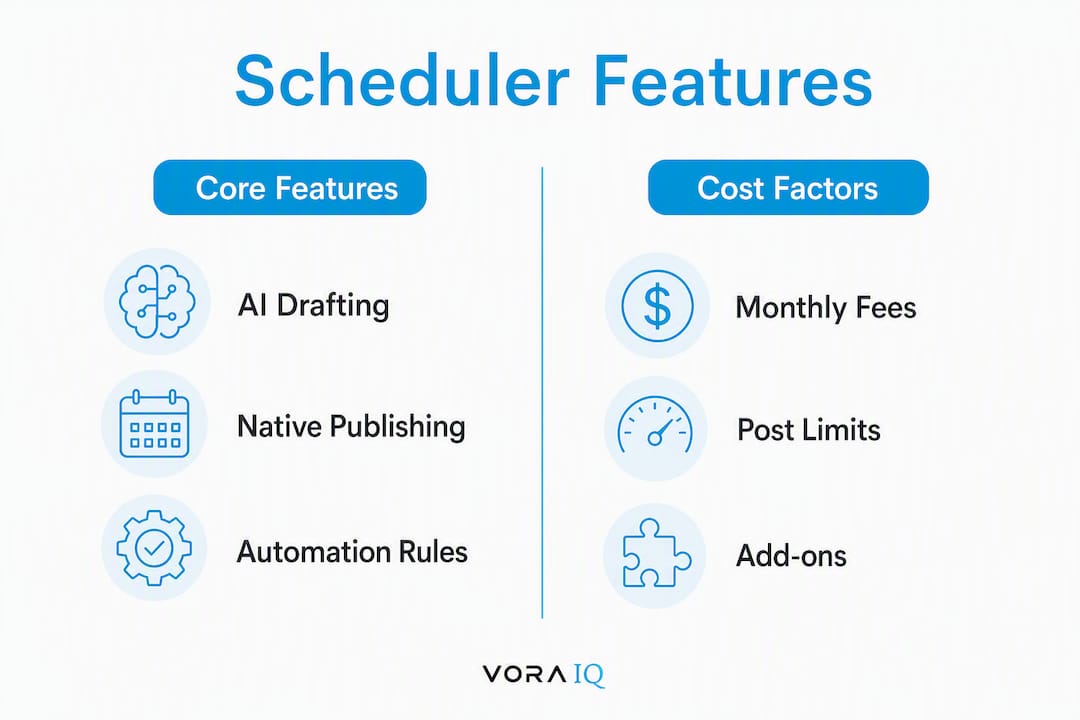
Pricing and total cost of ownership: Add up monthly fees, post-volume limits, per-seat costs, platform add-ons, and overage fees. A plan that looks affordable at $20/month can reach $80/month once you add integrations and extra accounts.
Security quick checks: Confirm OAuth scopes are minimal and revocable, that you own your data and can export it, and that the vendor has a clear GDPR/CCPA data-handling policy. For U.S.-based businesses, CCPA compliance is the baseline to verify.
Which features actually matter for a one-person team?
Leading social media scheduling tools are now judged on AI-driven content creation, cross-platform scheduling, and in-depth performance analytics in a single interface. Here is what to test, and why each one matters when you are the only person on the team.

Brand-trained AI content generation. Generic prompt-based drafting still requires you to rewrite every post. A system trained on your business details, brand voice, product specs, and strategic goals drafts posts you can approve in seconds, not minutes. That shortens review cycles from hours to minutes per week.
Native publishing vs. API relay. “Native” posting means the tool publishes directly through the platform’s official channel rather than routing through a third-party API layer. API relay can trigger spam filters, reduce reach, and break when platforms update their policies. Always ask whether the tool posts natively to your target platforms.
Automation and set-and-forget rules. Set-and-forget features like recurring posts, queue-based automation, and smart reposting are specifically recommended to reduce scheduling fatigue for small teams. Test whether you can build a content queue that runs for a sustained period without manual intervention.
Pro Tip: Before your trial ends, try building a two-week content queue using only the automation rules, no manual scheduling. If you cannot do it without touching the tool daily, the automation is not deep enough for a solo founder.
Unified analytics. A unified analytics dashboard that shows engagement, reach, and post-level performance across platforms is what separates a scheduling tool from a content operations system. Vanity metrics (follower counts, impressions) are easy to find. Post-level conversion data tied to business goals is what you actually need. Pair this with analytics-driven decision-making to close the loop between content and revenue.
Integrations that matter. Visual calendars, drag-and-drop scheduling, and one-click multi-platform publishing are the daily operational features founders use most. Beyond those, check for CRM sync, URL shortener integration, and developer API access if you plan to build programmatic publishing pipelines as you scale.
How do you compare pricing and avoid hidden costs?
Free or low-cost plans routinely limit the number of connected accounts and restrict analytics depth. Expect to pay for unified reporting or API access on any plan worth using.
Pricing checklist for every tool you trial:
- Monthly fee at the tier you actually need (not the entry plan)
- Post-volume limits or publishing credits per month
- Number of seats or collaborators included
- Platform add-ons: does connecting Instagram cost extra vs. LinkedIn?
- Overage fees when you exceed post limits
- API access costs for automation and integrations
Trial test plan (7–14 days): Connect all your accounts on day one. By day three, generate ten brand-trained posts and schedule a cross-platform campaign. By day ten, pull one unified analytics report. If any of those three steps requires a plan upgrade, you have found a hidden cost.
Simple ROI check: Estimate how many hours per week you currently spend on content creation, scheduling, and reporting. Multiply by your effective hourly rate. If the tool saves more than its monthly cost in time, the math works. Many founders find the break-even point after saving several hours per week.
API-first schedulers also create opportunities for programmatic publishing pipelines, which scales better as your technical needs grow. Factor that into your long-term cost model, not just the first month.
How does Vora IQ meet the checklist for solo founders?
Vora IQ is built specifically for solo founders and early-stage entrepreneurs. It combines brand-trained AI, adaptive roadmaps, and automation agents in one operating system. The social media layer is not a bolt-on feature. It is wired into the same brand context that drives your business plan, market analysis, and financial model.
Echo, Vora IQ’s AI social media agent, ingests your brand context, drafts on-brand content, schedules multi-platform campaigns, and surfaces unified analytics, all from a single dashboard. You do not switch tools. You do not re-explain your brand to a separate content app. Echo already knows your business.
Vora IQ has delivered over 2,400 unique roadmaps across founder use cases, which gives you real evidence that the system works across industries, not just a single niche. That track record is something you can probe directly in a demo.
Suggested demo flow: Ask the Vora IQ team to walk you through brand ingestion first, then generate ten posts in your brand voice, schedule a multi-platform campaign, and run a unified analytics report. That sequence covers every must-have on the checklist in under an hour. Learn more about how Echo handles this end-to-end before your call.
Support and onboarding include guided setup, sample roadmaps, and agent templates so you are not starting from zero. Most founders complete initial brand ingestion and their first scheduled campaign within the first session.
Your 30-day playbook to evaluate any social scheduler
-
Week 1: Connect and ingest. Link all social accounts. Complete brand ingestion (upload brand guidelines, product descriptions, tone examples). Verify native posting works on each platform. Check that OAuth permissions are minimal and can be revoked if needed.
-
Week 2: Generate and schedule. Draft ten posts using the AI content tool. Schedule a full cross-platform campaign. Test the visual calendar, drag-and-drop scheduling, and post previews. Activate at least one set-and-forget automation rule.
-
Week 3: Measure and test. Pull a unified analytics report. Compare engagement rates across platforms. Run a simple A/B test on two post formats. Note how long the reporting took and whether the data maps to your actual business goals.
-
Week 4: Decide. Review your weekly time logs against the baseline. Make a go/no-go call using the thresholds below.
| KPI | Week 1 Baseline | Target by Week 4 |
|---|---|---|
| Publish reliability | Track failed/delayed posts | Zero failed native posts |
| Post engagement rate | Record current average | 10% lift vs. baseline |
| Time spent on content ops | Log hours manually | 20% reduction vs. baseline |
| Content review time per post | Time each review | Under a few minutes per post |
Go/no-go thresholds: Adopt the tool if you hit at least two of these: 20% less time on content operations, a 10% lift in engagement rate, reliable native posting to all target platforms, and content review time under five minutes per post.
Key Takeaways
An AI-native operating system with integrated scheduling and an AI social agent is the most efficient setup for solo founders who need brand-consistent content published across platforms without daily manual effort.
| Point | Details |
|---|---|
| Audit requirements first | Define must-haves before trialing any tool to keep demos focused and comparable. |
| Test brand-trained AI | Verify the tool drafts in your actual brand voice, not generic prompts, before committing. |
| Confirm native publishing | API relay can reduce reach; native posting to your target platforms is non-negotiable. |
| Use the 30-day playbook | Track publish reliability, engagement lift, and time saved to make a data-backed decision. |
| Vora IQ + Echo | Covers brand ingestion, cross-platform scheduling, and unified analytics in one AI-native OS. |
What founders consistently get wrong when choosing a scheduler
The most common mistake is picking a scheduling tool before defining a content strategy and automation rules. A tool cannot fix a missing plan. Scheduling software does not replace strategy; it amplifies whatever system you already have. If that system is unclear, automation just accelerates the chaos.
Three errors come up repeatedly. First, founders overvalue isolated features, choosing a tool because it has a great visual calendar while ignoring whether the AI content layer actually understands their brand. Second, they skip the native posting test entirely, only discovering API-relay limitations after they have committed to a paid plan. Third, they ignore onboarding and support quality. A tool that takes three weeks to set up correctly costs more in lost time than a slightly pricier option with guided onboarding.
The fix is simple: run the 30-day playbook above before you pay for anything. The data will tell you what the demo did not.
Vora IQ + Echo: where to start
Vora IQ is built for exactly this situation: one founder, one operating system, zero context switching. Instead of managing a separate content tool, a scheduler, and an analytics dashboard, you get one place where your brand context lives and Echo does the publishing work.
Get your free Idea Report Card at Vora IQ and see which use case matches your business. When you book a demo, ask for the full Echo walkthrough: brand ingestion, ten on-brand posts generated, a live cross-platform publish test, and a unified analytics report. That sequence covers every item on the checklist in one session.
What you get with Vora IQ + Echo:
- Brand-trained content drafts that sound like you, not a template
- One-click publishing to multiple platforms with native posting
- Unified analytics tied to your actual business goals
- Automated scheduling queues that run without daily input
Visit the Echo agent page to see the full capability list and book your session.
Sources and further reading
Vora IQ pages (internal):
- Vora IQ features and product overview
- Echo, AI social media agent for founders
- How Echo works: building a social media agent
- Best AI tools for startup founders in 2026
- AI social media content generator tools
Industry references (external):
- 15 Best Social Media Scheduling Tools in 2026, Statusbrew
- Content marketing automation at scale
- Why analytics in marketing drives better ROI